
Embark on an exhilarating journey as we engineer and deploy a Zomato Clone application, fortified with cutting-edge DevSecOps practices. Leveraging Terraform, Jenkins, SonarQube, OWASP, Trivy, and Docker, we're set to deliver a robust, secure, and scalable culinary experience. Here's the blueprint:
Infrastructure Provisioning with Terraform:
Utilize Terraform to orchestrate infrastructure as code, provisioning cloud resources on AWS and also install Jenkins, SonarQube and Trivy.
Define and deploy compute instances, networking configurations, and storage solutions to support our Zomato Clone application.
Follow these code the create resource and install jenkins, sonarqube and trivy on resource:
main.tf
resource "aws_security_group" "Jenkins-sg" {
  name        = "Jenkins-Security Group"
  description = "Open 22,443,80,8080,9000"

  # Define a single ingress rule to allow traffic on all specified ports
  ingress = [
    for port in [22, 80, 443, 8080, 9000, 3000] : {
      description      = "TLS from VPC"
      from_port        = port
      to_port          = port
      protocol         = "tcp"
      cidr_blocks      = ["0.0.0.0/0"]
      ipv6_cidr_blocks = []
      prefix_list_ids  = []
      security_groups  = []
      self             = false
    }
  ]

  egress {
    from_port   = 0
    to_port     = 0
    protocol    = "-1"
    cidr_blocks = ["0.0.0.0/0"]
  }

  tags = {
    Name = "Jenkins-sg"
  }
}
resource "aws_instance" "web" {
  ami                    = "ami-03f4878755434977f"
  instance_type          = "t2.large"
  key_name               = "devops1"
  vpc_security_group_ids = [aws_security_group.Jenkins-sg.id]
  user_data              = templatefile("./install_jenkins.sh", {})

  tags = {
    Name = "Jenkins-sonar"
  }
  root_block_device {
    volume_size = 30
  }
}
provider.tf
terraform {
  required_providers {
    aws = {
      source  = "hashicorp/aws"
      version = "~> 5.0"
    }
  }
}

# Configure the AWS Provider
provider "aws" {
  region = "ap-south-1"
}
install_jenkins.sh
#!/bin/bash
sudo apt update -y
wget -O - https://packages.adoptium.net/artifactory/api/gpg/key/public | tee /etc/apt/keyrings/adoptium.asc
echo "deb [signed-by=/etc/apt/keyrings/adoptium.asc] https://packages.adoptium.net/artifactory/deb $(awk -F= '/^VERSION_CODENAME/{print$2}' /etc/os-release) main" | tee /etc/apt/sources.list.d/adoptium.list
sudo apt update -y
sudo apt install temurin-17-jdk -y
/usr/bin/java --version
curl -fsSL https://pkg.jenkins.io/debian-stable/jenkins.io-2023.key | sudo tee /usr/share/keyrings/jenkins-keyring.asc > /dev/null
echo deb [signed-by=/usr/share/keyrings/jenkins-keyring.asc] https://pkg.jenkins.io/debian-stable binary/ | sudo tee /etc/apt/sources.list.d/jenkins.list > /dev/null
sudo apt-get update -y
sudo apt-get install jenkins -y
sudo systemctl start jenkins
sudo systemctl status jenkins

#install docker
sudo apt-get update
sudo apt-get install docker.io -y
sudo usermod -aG docker ubuntu
newgrp docker
sudo chmod 777 /var/run/docker.sock
docker run -d --name sonar -p 9000:9000 sonarqube:lts-community

# install trivy
sudo apt-get install wget apt-transport-https gnupg lsb-release -y
wget -qO - https://aquasecurity.github.io/trivy-repo/deb/public.key | gpg --dearmor | sudo tee /usr/share/keyrings/trivy.gpg > /dev/null
echo "deb [signed-by=/usr/share/keyrings/trivy.gpg] https://aquasecurity.github.io/trivy-repo/deb $(lsb_release -sc) main" | sudo tee -a /etc/apt/sources.list.d/trivy.list
sudo apt-get update
sudo apt-get install trivy -y
Continuous Integration with Jenkins:
Harness the power of Jenkins to establish a continuous integration pipeline.
Automate code builds, tests, and quality checks to ensure rapid feedback and code reliability.
To Access the Jenkins Server on port 8080 along with your Public IPv4:

Code Quality Analysis with SonarQube:
Integrate SonarQube into our pipeline to conduct comprehensive code quality analysis.
Identify and address code smells, bugs, and vulnerabilities to enhance the robustness and maintainability of our application.
To access the sonarqube server on port 9000 along with your Public IPv4:
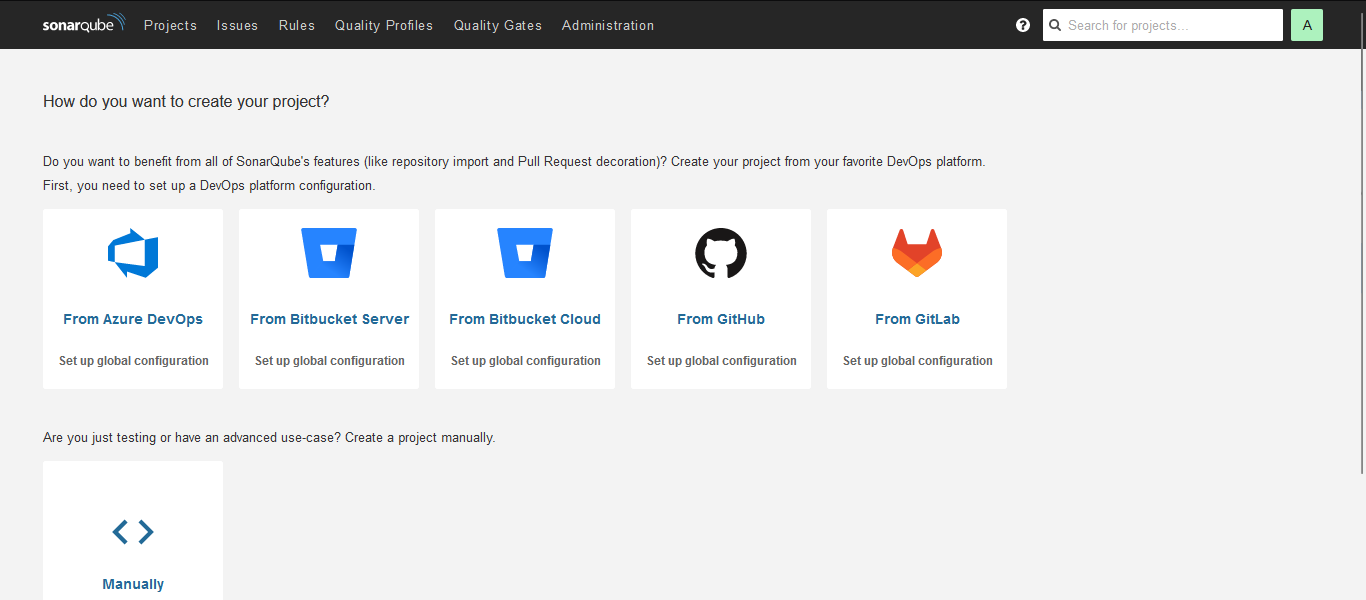
Configuring Jenkins and SonarQube Integration:
- It several steps to enable seamless code analysis within your CI/CD pipeline. Here's a guide to help you set it up:
Prerequisites:
Ensure you have Jenkins and SonarQube installed and running in your environment.
Obtain the necessary authentication tokens or credentials for Jenkins and SonarQube.
Steps:
Install Plugins:
Log in to your Jenkins dashboard and navigate to "Manage Jenkins" > "Manage Plugins".
Install the necessary plugins for SonarQube integration, such as "SonarQube Scanner" and any other required plugins.
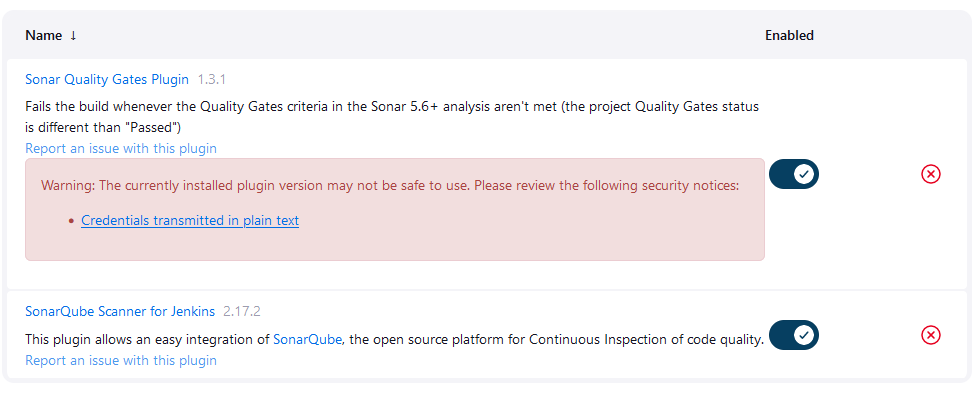
- Configure SonarQube Server:
Go to "Manage Jenkins" > "Configure System".
Scroll down to the "SonarQube servers" section and click on "Add SonarQube".
Provide a name for the SonarQube server and specify the server URL.
Add the authentication token or credentials for connecting to SonarQube.

- Create SonarQube Scanner Configuration:
In your Jenkins dashboard, navigate to "Manage Jenkins" > "Global Tool Configuration".
Scroll down to the "SonarQube Scanner" section and click on "Add SonarQube Scanner".
Specify a name for the scanner and provide the installation directory.

Security Scanning with OWASP Dependency Check:
Bolster application security by integrating OWASP Dependency Check.
Detect and remediate vulnerabilities in project dependencies, shielding our Zomato Clone against common security threats.
Container Security with Trivy:
Fortify container security with Trivy, a powerful vulnerability scanner for Docker images.
Scan Docker containers for known vulnerabilities in OS packages and libraries, ensuring a secure runtime environment.
Containerization with Docker:
Embrace containerization with Docker to package our Zomato Clone application and its dependencies.
Achieve consistency, portability, and scalability across diverse environments, simplifying deployment and management.
Configure CI/CD Pipeline in Jenkins:
- Create a CI/CD pipeline in Jenkins to automate your application deployment.
pipeline{
    agent any
    tools{
        jdk 'jdk17'
        nodejs 'node16'
    }
    environment {
        SCANNER_HOME=tool 'sonar-scanner'
    }
    stages {
        stage('clean workspace'){
            steps{
                cleanWs()
            }
        }
        stage('Checkout from Git'){
            steps{
                git branch: 'main', url: 'https://github.com/RahulSinha9/Zomato-Clone-DevSecOps-Project..git'
            }
        }
        stage("Sonarqube Analysis "){
            steps{
                withSonarQubeEnv('sonar-server') {
                    sh ''' $SCANNER_HOME/bin/sonar-scanner -Dsonar.projectName=zomato \
                    -Dsonar.projectKey=zomato '''
                }
            }
        }
        stage("quality gate"){
           steps {
                script {
                    waitForQualityGate abortPipeline: false, credentialsId: 'Sonar-token'
                }
            }
        }
        stage('Install Dependencies') {
            steps {
                sh "npm install"
            }
        }
        stage('OWASP FS SCAN') {
            steps {
                dependencyCheck additionalArguments: '--scan ./ --disableYarnAudit --disableNodeAudit', odcInstallation: 'DP-Check'
                dependencyCheckPublisher pattern: '**/dependency-check-report.xml'
            }
        }
        stage('TRIVY FS SCAN') {
            steps {
                sh "trivy fs . > trivyfs.txt"
            }
        }
        stage("Docker Build & Push"){
            steps{
                script{
                   withDockerRegistry(credentialsId: 'docker', toolName: 'docker'){
                       sh "docker build -t zomato ."
                       sh "docker tag zomato rahuldss88/zomato:latest "
                       sh "docker push rahuldss88/zomato:latest "
                    }
                }
            }
        }
        stage("TRIVY"){
            steps{
                sh "trivy image rahuldss88/zomato:latest > trivy.txt"
            }
        }
        stage('Deploy to container'){
            steps{
                sh 'docker run -d --name zomato -p 3000:3000 rahuldss88/zomato:latest'
            }
        }
    }
}
Build the Pipeline:
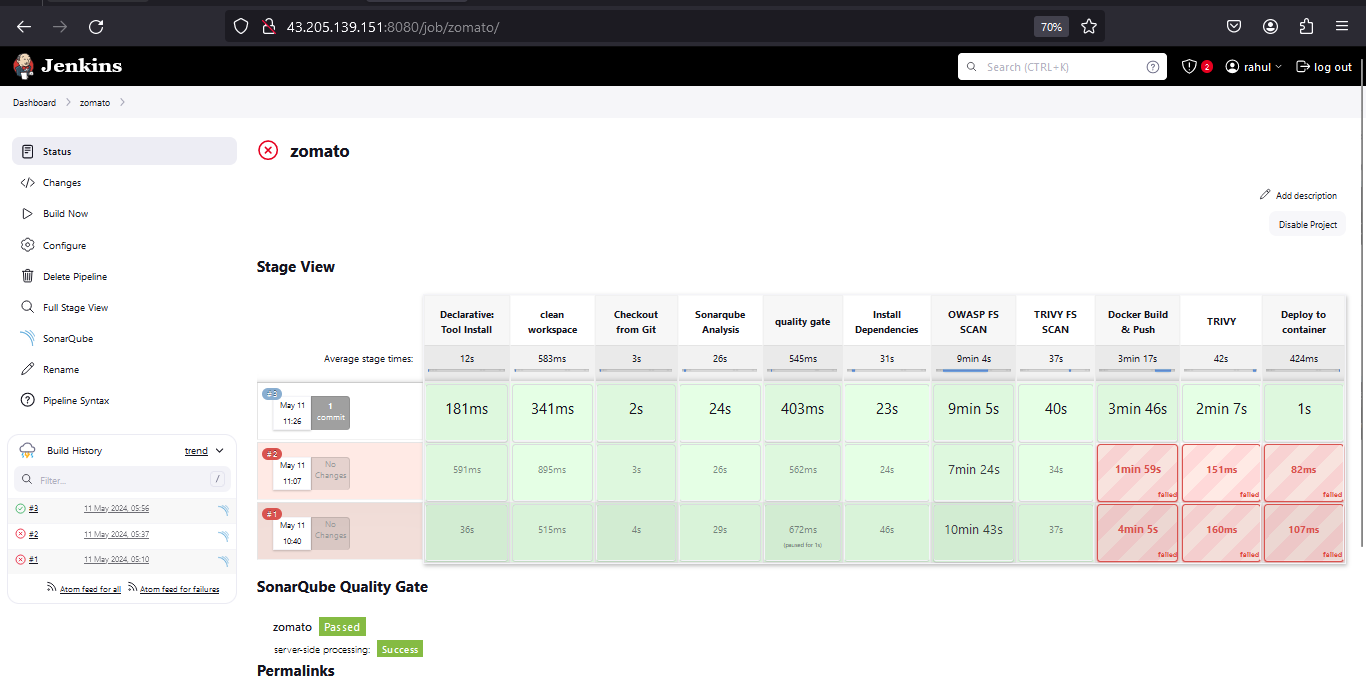
Now, access your website:
- To access your webpage on port 3000 alog with your Public IPv4:

By implementing this comprehensive DevSecOps pipeline, we're poised to deliver a Zomato Clone application that not only delights users with its culinary offerings but also instills confidence through its robust security posture. Let's dive in and revolutionize the dining experience together! 🌮🔒 #DevSecOps #ContinuousDelivery #InfrastructureAsCode #Automation 🌐🍽️